



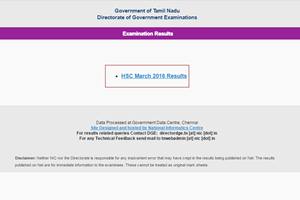
TNBSE Class 12th Results 2016: In this school and other results season, students are going through some anxious moments and that also holds true for candidates who appeared in the Tamil Nadu (TNBSE) Class 12th Plus two board 2016 examination. Well, for these students the wait is over as results have been declared at tnresults.nic.in and results.nic.in.
According to authorities the scheduled time was anytime between 10:30 am and 11 am., but the result was announced as early as 10:30 am.
Students can log onto the official website and check their results.
Here is a step-by-step guide to check TNBSE Class 12th Results 2016:
STEP 1: Keep your name (as it appears in the official paper), registration number handy;
STEP 2: Visit official website: tnresults.nic.in; Click on ‘HSC March 2016 Results’ tab
STEP 3: Type data (registration number, date of birth) into the space provided carefully; any mistake will lead to unnecessary delays;
STEP 4: ‘Submit’ – (Click on ‘Get Marks’ tab)
STEP 5: The results will be flashed onscreen;
STEP 6: Download the same on you computer; this is only for personal use as only the original certificate will work for official purposes.