



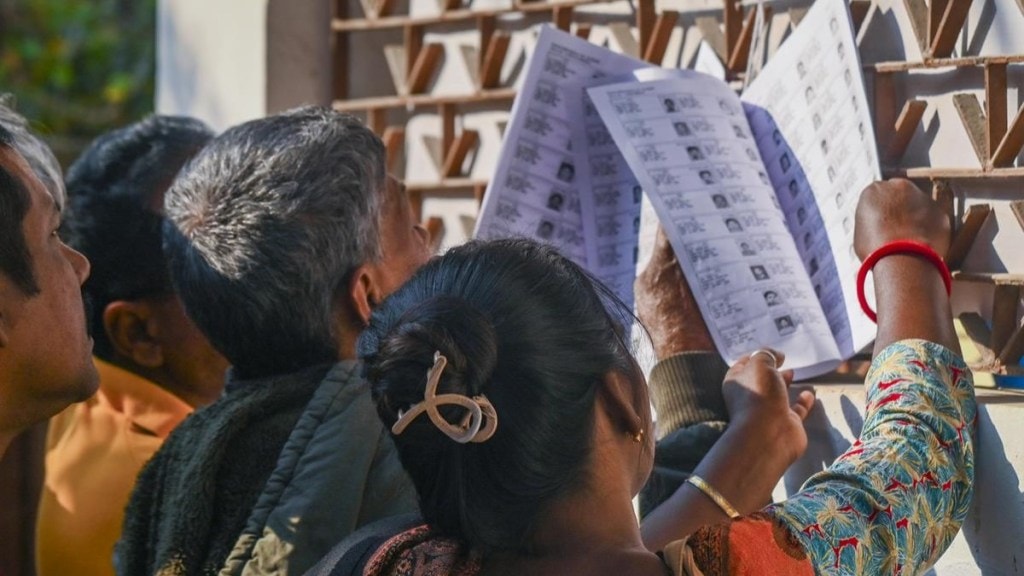
Ahead of the publication of updated electoral rolls for the states of Gujarat and Tamil Nadu scheduled today, Chief Electoral Officer for Tamil Nadu, Archana Patnaik on Friday said the draft electoral roll, after the Special Intensive Revision (SIR), for the state now includes 5,43,76,755 voters, comprising 2.66 crore women and 2.77 crore men.
As per Patnaik, out of a total 6,41,14,587 previously eligible voters, 5,43,76,755 electors have submitted their Enumeration Forms, reflecting overwhelming participation in the first phase of SIR. She said that prior to the SIR, the poll-bound state had around 6.41 crore registered voters, and the exercise led to the deletion of 97,37,832 names from the rolls.
According to data released by the office of Tamil Nadu SIR CEO, the deletions included 26.94 lakh voters who had died in recent years and 66.44 lakh voters who had permanently shifted or migrated. The CEO office also found 3,39,278 duplicate entries where individuals were found to be registered in more than one place.
Genuine electors can still be added back in the electoral rolls during the Claims and Objections period from 19.12.2025 to 18.01.2026.
How to check your name in revised draft voter list online
Once released on the official ECI portal, citizens follow tthe listed steps to check whether their names appear in the draft electoral roll for 2026, and see if they have been marked as absent, shifted or deleted, through the official CEO website.
Step 1: Visit the official website
Go to the Chief Electoral Officer portal at https://voters.eci.gov.in/download-eroll?stateCode=S06
to access the draft voter list linked to the Special Intensive Revision exercise.
Step 2: Select the electoral roll year
Scroll down to the ‘Electoral Rolls’ section on the homepage and select the year of revision as 2026 to view the updated draft roll.
Step 3: Choose your district
The page will display a table listing all districts of your state. Click on the ‘Show’ option next to your district to proceed.
Step 4: Select your Assembly constituency
Once the district is selected, a list of Assembly constituencies will appear. Clicking on your constituency will open a Google Drive folder containing booth-wise voter list PDFs.
Step 5: Check your name in the voter list
Open the PDF corresponding to your polling booth and search for your name. The document will also indicate whether your entry is active, absent, shifted or deleted.
Step 6: Search using EPIC number
Voters can also verify their details by entering their EPIC number on the Electoral Search portal at https://electoralsearch.eci.gov.in
for quicker access.
Step 7: Take corrective action if required
If your name is missing or details are incorrect, you can approach your Booth Level Officer or local election office and submit a request for correction or inclusion within the revision deadline.
ECI’s message
Election authorities have urged voters to verify their details within the stipulated period to ensure that eligible voters are not excluded and ineligible names do not remain in the electoral roll.
Tamil Nadu also posted high migration numbers between the districts of Coimbatore, Tiruppur and Hosur post pandemic. Voters who did not update their address may find their names marked as shifted or removed from the draft electoral roll.