



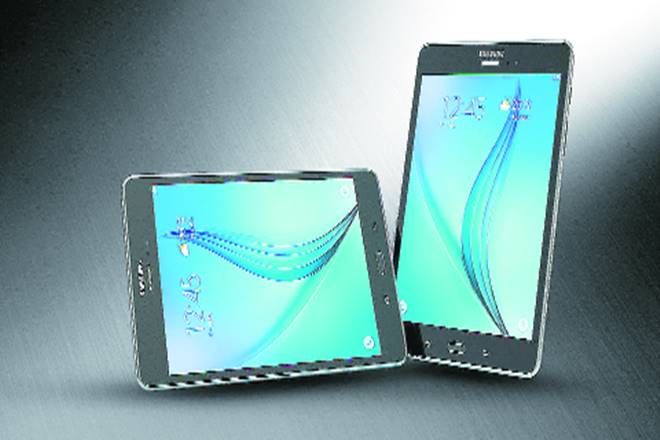
I observed a pattern during the two weeks I used the new Samsung Galaxy Tab A. In the beginning, I would spend 2-3 hours every day with the Tab, and by the end of two weeks, I was barely spending more than 15 minutes on it each day. There was a time when we thought tablets would take off because they could replace both a laptop and a smartphone. They, obviously, haven’t been able to. According to International Data Corporation (IDC), the Indian tablet market dropped by 11% in 2017—to 3.2 million units in 2017 from 3.6 million units in 2016.
One of the reasons is that a smartphone works as an extension of yourself—so convenient and handy you can carry it all the time and use it any time. A tablet, however, is usually convenient either at home or while you travel and don’t want to carry your laptop. Another reason is that smartphones are becoming larger (like the Samsung Galaxy Note9) and these big screens, or phablets, are pretty convenient—they are small enough to be a phone (for texting and calling) and big enough to consume the average media. However, if you are into, say, gaming, tablets still hold an edge. They perform a few other unique functions, too.
For example, the new Galaxy Tab A—it has a clean, plain bezel with no distractions—is better than a smartphone at least as far as multimedia is concerned. Its 10.5-inch display (with a 16:10 viewing ratio), with four virtual surround speakers—one in each corner—which automatically adjust stereo settings based on screen orientation, turn watching movies at home into an immersive, cinema-like viewing experience. One might argue that laptops have a bigger screen size for a better experience, but the ‘3D moving audio’, courtesy Dolby Atmos, in the Galaxy Tab A sets it apart. The Dolby Atmos is also supported through headphones and Bluetooth speakers.
Another advantage is its massive 7300mAh battery that lasts for up to a claimed 14.5 hours of video playback on a single charge—and there is a fast charging function, too.
Then comes versatility. The Galaxy Tab A, for instance, can be turned into a photo display screen or a living room personal assistant that displays current weather, forecast, current time or a calendar. A long battery life means it can perform this function at least for a couple of days (you, however, have to buy a stand for it).
An interesting feature is Bixby Vision—a software built into the camera—that uses object recognition to translate foreign language signs (like road signs), shop online or even identify landmarks. Just point your camera towards an object and let the AR do the magic. For using Bixby Vision, you have to enable the GPS.
With a 3GB RAM, this tablet is good at multitasking and gaming—you can open a number of apps and it won’t hang. But don’t expect it to perform like, say, a Galaxy Note9. Storage is decent, at 32GB, with the option of expanding it to a whopping 400GB using a microSD card.
Then there is a kid-friendly interface that can give parents control over their child’s usage time and access to content. Tablets, because of their apt screen size and functionality, have proven to be a great tool for educational content for children. In fact, the ‘Kids Mode’ in the Galaxy Tab A, with native apps, is a really cool feature for children to both enjoy and learn.
Cameras are average—the main camera has a resolution of 8.0-megapixel and a 4x zoom, and the front camera is 5.0-megapixel.
Lastly, the Galaxy Tab A is not a business tab, but more for entertainment. While you can perform certain PowerPoint and Excel functions, it doesn’t have a stylus for performing them quickly and conveniently. And you can make and receive calls, but why will you use a tab bigger than your head for doing so?
Specifications
* Screen: 10.5-inch
* Main camera: 8.0-MP
* Front camera: 5.0-MP
* RAM: 3 GB
* Storage: 32 GB
* MicroSD: Up to 400 GB
* Height: 260mm
* Width: 161mm
* Thickness: 8mm
* Talk time: 51 hours
* Battery: 7300mAh
* Video playback: 14.5 hours
* Weight: 534 gm
* Estimated street price: Rs 29,990
The Galaxy Tab A is priced at Rs 29,990. At this price, there are many phablets available in the market that can perform almost similar functions and can be more convenient to use. Before buying this tab, or any tab, you have to ask yourself why you need one. Is it for watching videos, or for checking emails on a weekend, or for an immersive gaming experience, or maybe for using it on a vacation where you need a bigger screen than your smartphone but don’t want to carry a laptop?