Apple is getting ready to release iOS 26.3, a new software update for iPhones. This update does not bring big design changes, but it adds small features that make using the phone easier and more comfortable. The update is expected to reach users soon.
One useful feature in iOS 26.3 helps people move from an iPhone to an Android phone more easily. Earlier, changing phones meant losing photos, messages, or contacts. With this update, users can transfer important data like contacts, pictures, messages, and some app details with fewer problems.
Some data, such as health information or secure app data, may still need to be added manually. Even, this change makes switching phones less stressful.
Notifications Can Be Sent to Other Devices
The new update also improves how notifications work. iPhone alerts can now be sent to certain non-Apple devices, such as other smartwatches or wearables. This is helpful for users who do not use an Apple Watch.
Only one extra device can receive notifications at a time. If an Apple Watch is connected, alerts will continue to show there. This feature gives users more choice in how they receive notifications.
New Wallpapers
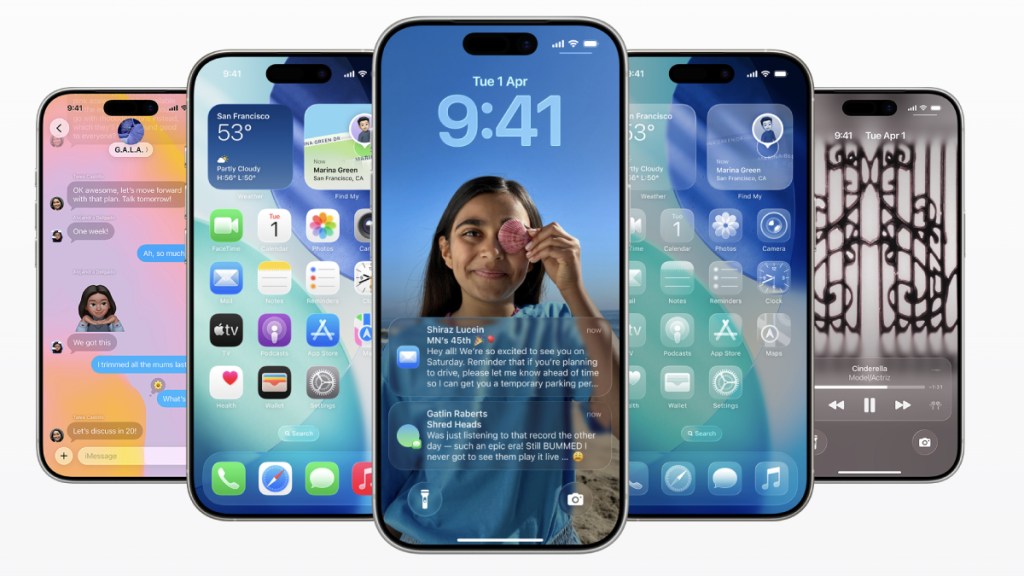
iOS 26.3 also brings small design improvements. The wallpaper section is now better organised, making it easier to find different styles. Weather-based and space-themed wallpapers are now shown separately.
There are also new weather wallpapers that change depending on the current weather, adding a fresh look to the lock screen.
Useful Updates for Everyday Use
Overall, iOS 26.3 focuses on making small improvements rather than big changes. It helps with switching phones, offers more notification options, and improves phone customisation. These changes may be simple, but they make daily iPhone use smoother and more enjoyable.