Apple introduced iOS 26 at the WWDC event in Cupertino, showcasing the most significant iPhone interface overhaul since the debut of iOS 7. The highly anticipated visual refresh debuts with the new Liquid Glass aesthetic, marking the most substantial design evolution in iOS since version 7. Alongside this, Apple has revamped many of its native apps, aligning them with the latest design language and feature enhancements. Apple Intelligence remains a cornerstone of iOS 26, aiming to significantly elevate the overall user experience.
iOS 26 release date:
Apple rolled out the iOS 26 developer beta on June 9, 2025, giving developers early access to test out its upcoming features. A more refined and stable public beta is anticipated to be released in the coming months, likely during the summer. The official version of iOS 26 is expected to launch alongside the iPhone 17 in September 2025.
How To Download And Install iOS 26 Beta:
To get the beta version, you’ll need to log in using your Apple ID via the Apple Developer Program, which is free to join. After registering, navigate to Settings > General > Software Update > Beta Updates, and choose “iOS 26 Developer Beta.” Be sure to create a backup of your data beforehand, as beta software can be unpredictable and may lead to bugs or system issues.
iOS 26 unsupported devices:
– iPhone Xs, iPhone Xs Max and iPhone XR
iOS 26 compatible iPhones:
– iPhone 11, iPhone 11 Pro and iPhone 11 Pro Max
– iPhone 12, iPhone 12 Mini, iPhone 12 Pro, iPhone 12 Pro Max
iPhone 13, iPhone 13 Mini, iPhone 13 Pro and iPhone 13 Pro Max
– iPhone 14, iPhone 14 Plus, iPhone 14 Pro and iPhone 14 Pro Max
– iPhone 15, iPhone 15 Plus, iPhone 15 Pro and iPhone 15 Pro Max
– iPhone 16, iPhone 16 Plus, iPhone 16 Pro and iPhone 16 Pro Max
– iPhone SE 2nd Gen, iPhone SE 3rd Gen
– iPhone 16e
iOS 26 Apple Intelligence compatibility:
– iPhone 15 Pro, iPhone 15 Pro Max
– iPhone 16, iPhone 16 Plus, iPhone 16 Pro and iPhone 16 Pro Max
– iPhone 16e
iOS 16 Features:
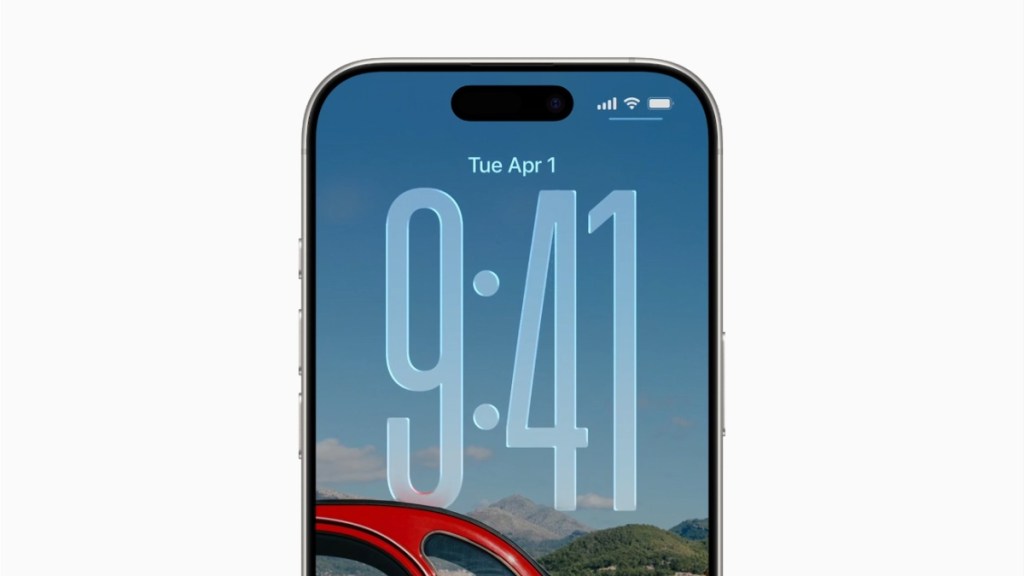
iOS 26 introduces the most significant visual overhaul since iOS 7, debuting a brand-new design language called “Liquid Glass.” According to Apple, this fresh aesthetic is set to shape the next decade of iOS design. The Liquid Glass interface mimics the properties of real glass—reflecting and refracting its environment—while emphasizing content clarity and immersion.
The design makes extensive use of translucency across the system, from navigation elements and control panels to app icons, buttons, menus, and widgets. It’s context-aware and shifts in appearance based on light and dark surroundings, adapting fluidly to different content and environments.
Powered by real-time rendering, Liquid Glass responds to movement and dynamically alters the way light interacts with elements like switches, sliders, tab bars, and sidebars, creating a more lifelike and immersive user experience.