




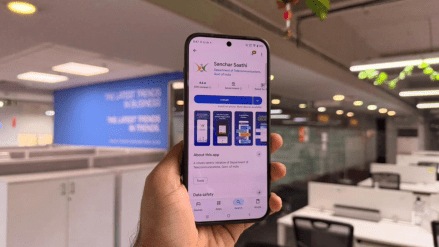
With the government’s recent directive to pre-install the Sanchar Saathi cyber-safety app on all new smartphones, the industry pushed back, citing privacy and operational concerns. Even though the government has diluted its directive, I decided to try the app myself to understand what it really does and how intrusive it feels in practice.
Here’s what stood out while using Version 1.5.0 of the app, which was designed and developed by the Centre for Development of Telematics.
Smooth onboarding
The download was quick, and the app opened with a language-selection screen offering 23 Indian languages like English, Hindi, Urdu, Nepali, Santhali, Malayalam and others. It’s a range that ensures the service is accessible well beyond metro users.


Because my phone has two SIM cards, I chose one number for registration. The app requested access to SMS and call logs to verify the number, which can feel like a lot at first glance, but these permissions are also fairly standard for apps that rely on auto-verification or communication reporting features.

Once the verification was complete, the homepage appeared with five key services:
1. Chakshu (report suspected fraud),
2. Block lost/stolen phone,
3. View mobile connections in your name,
4. Check handset genuineness, and
5. Report international calls showing Indian numbers.
Chakshu
Chakshu opens into a structured form for reporting suspicious calls or SMS messages. It asks for basic details and includes a declaration stating that the information provided may be verified through the telecom operator. The language is formal, but typical of government complaint systems.

A disclaimer at the foot of the page notes that DoT does not commit to taking direct action against the reported number. The FAQs, which is a separate section, however, mention that the department may verify repeat or non-genuine reports. Furthermore, the FAQs also mention that this complaint can be made via the web portal, too.
Lost or stolen phones
The section for blocking a lost or stolen mobile phone is easy to navigate and mirrors the long-running web version of this service. The option appears twice in the menu, which seems like a simple design oversight, but both lead to the same process of submitting IMEI and ownership details.


Mobile connections linked to your ID
One of the more useful features is the ability to view all mobile connections associated with your ID. Even though I had registered only one number, both my SIMs showed up. When I tapped on the unregistered number, the app displayed a connectivity timeout alert.

A disclaimer notes that discrepancies can occur and may be resolved when brought to notice. It also clarifies that corporate or bulk connections may list all associated numbers. It’s a thoughtful feature, but the occasional glitch means it may still be a work in progress.
Checking handset genuineness
This tool lets you enter your IMEI or scan the barcode to confirm your handset’s brand, model and manufacturer details. It worked smoothly, and the barcode-scanning feature was easy to use, a helpful addition for those buying second-hand phones or verifying device authenticity.

Reporting spoofed international calls
The section to report international calls that appear with Indian numbers is another straightforward form. It collects details of the call and submits it for review. This service works, more or less, like how Chakshu does with a form that requires you to fill in the details.

Permissions: Detailed explanations in the FAQ
The FAQ section, which can be accessed through the left pop-up menu, outlines various queries around the services the app delivers and the permissions that it seeks.
As per the FAQs, the app accesses phone calls, SMS, call logs, photos/files, and the camera for tasks like registration, reporting fraud, and scanning IMEI barcodes on Android phones. For iOS users, the app only asks for file and camera access. This is because iOS has a stringent security umbrella.


While the list does look extensive for Android devices, it is important to note that many apps that we use on a daily basis, ranging from food delivery apps to social media apps, request similar access.
The FAQ also reiterates policy norms like the maximum number of mobile connections allowed, which is nine per individual, except in places like J&K, Assam and northeastern states, where the count is six.
Deregistering and uninstalling
I tried deregistering my number using the in-app option. Once I did that, all services became inaccessible until I registered again. Again, this page showed the unregistered SIM, which aligns with the earlier discrepancy.

Uninstalling the app was instant and without any additional prompts, which made the exit process straightforward.
Overall experience
Using Sanchar Saathi felt like using a functional government service designed to consolidate multiple consumer-safety features in one place. The app is easy to navigate, looks like a government portal, offers wide language support, and includes tools that many users may find genuinely useful, especially IMEI checks, lost-phone blocking, and visibility into linked mobile connections.
At the same time, a few elements, like repeated menu options, occasional glitches, and differences in permission requirements, show that the app is still evolving. For now, Sanchar Saathi works as a unified portal for reporting fraud and managing mobile identity. Whether mandatory pre-installation was justified in the first place (since withdrawn by the Government) is a larger policy debate, but as a user, the app itself delivered what it promised, with a few rough edges typical of early-stage public tech releases.


