




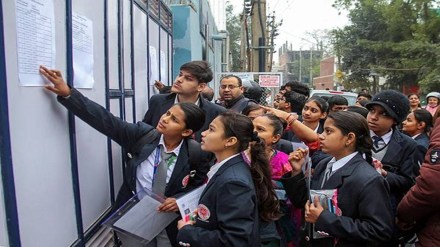
The Madhya Pradesh Board of Secondary Education (MPBSE) will announce the class 10th results for 2025 today March 6th at 10:00 AM. Both class 10th and 12th results are expected to be announced simultaneously in the presence of the state’s Education Minister.
Once declared, students will be able to access their results on the official websites: mpresults.nic.in and mpbse.nic.in. To check the MP Board 10th Result 2025, students will need to enter their roll number and application number.
Official websites to check your results
To check the MP Board class 10th result, students can visit: mpbse.nic.in, mpresults.nic.in, or mpbse.mponline.gov.in. For accurate and reliable updates, rely solely on these trusted portals.
Direct link to check MPBSE Class 10 results here
Steps to check MP Board 10th results 2025 online
- Visit any of the official MP Board websites:
mpresults.nic.in,
mpbse.nic.in, or
mpbse.mponline.gov.in. - Click on the link for “MP Board 10th Result 2025”
- On the next page, enter your roll number and application number.
- Your result will appear on the screen. Review the details carefully.
- Save or download a copy for future reference. You may take a screenshot, download a PDF, or print it.
The digital results for both classes will be available on the MPBSE official websites listed above.
How to check MP Board class 10th results 2025 via mobile app
Students can also access their results using the MPBSE Mobile App or MP Mobile App, available on the Google Play Store. Follow these steps:
- Download the MPBSE Mobile App or MP Mobile App.
- Launch the app and go to the “Know Your Result” section.
- Enter your roll number and required details.
- Tap on the “Submit” button.
- Your MP Board 10th result will be displayed on the screen.
MPBSE MP Board Result Class 10th Out Download MP High school Result vit digilocker SMS mpbse.nic.in
After the Madhya Pradesh Board declares the results, students can also check their scores through SMS if they are unable to access the website. To do this, they need to type MPBSE10 followed by their roll number for Class 10 and send the message to 56263. Once the message is sent, the result will be delivered directly to their mobile phone.
Here’s a clearer and more polished version of your text:
How to check MP Board class 10th result via DigiLocker
- Open the DigiLocker app and log in using the username and password.
- Link your Aadhaar number, then go to the menu and select the ‘Pull Partner Documents’ option.
- Choose Madhya Pradesh Board of Secondary Education (MPBSE) as the issuing authority and select the document type (Marksheet, Migration Certificate, or Passing Certificate).
- Enter your exam year and roll number.
- Your marksheet will appear on the screen, which you can then download or print.


