


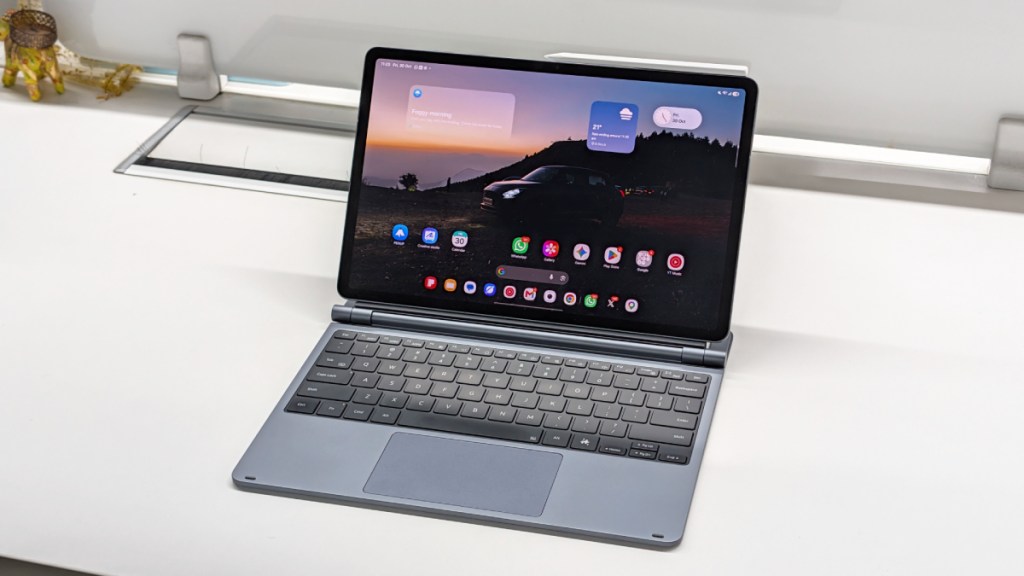

The dream of ditching a bulky laptop in favour of a sleek, ultra-portable tablet has long been a dream for my work desk, and a promise of modern mobile computing. Every year, Apple and Samsung come up with premium solutions that promise to make mobile computing a lot easier – there’s usually an iPad Pro with the same chip as the MacBook Air, and then Samsung follows up with a Galaxy Tab S, one-upping Apple in every possible spec and feature. This year’s Galaxy Tab S12 Ultra, which we reviewed earlier, has demonstrated that you can have a large screen tablet deliver on productivity and entertainment with equal ease.
Hence, with the smaller Samsung Galaxy Tab S12+, which is effectively the same tablet with a more practically sized display, I wanted to try something different – make it a part of my workflow.
To make it possible, I took a top-tier variant of the Galaxy Tab S12+ (12GB RAM + 512GB 5G model) and paired it with the Samsung Pro Keyboard Folio — a premium accessory featuring a full-sized keyboard and a responsive trackpad, priced at Rs 24,999. It’s pricey, but it promises to deliver a laptop-like experience.
Seems fun! But will it work?
Samsung Galaxy Tab S12+ in daily workflow
To make the exercise fun, I decided to utilise the Tab S12+ as Samsung sets it up. Samsung’s latest One UI 9 experience on the Galaxy Tab is all about multi-windows, convenient multi-touch gestures, and the celebrated DeX desktop interface – all of which come truly handy.
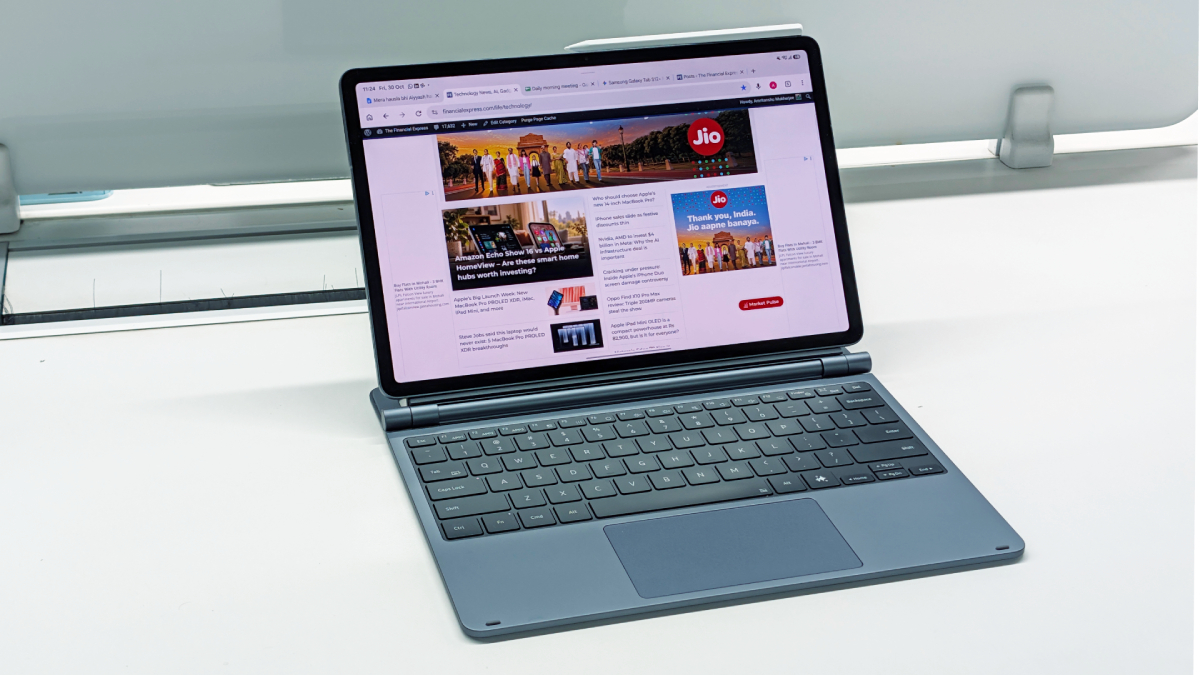
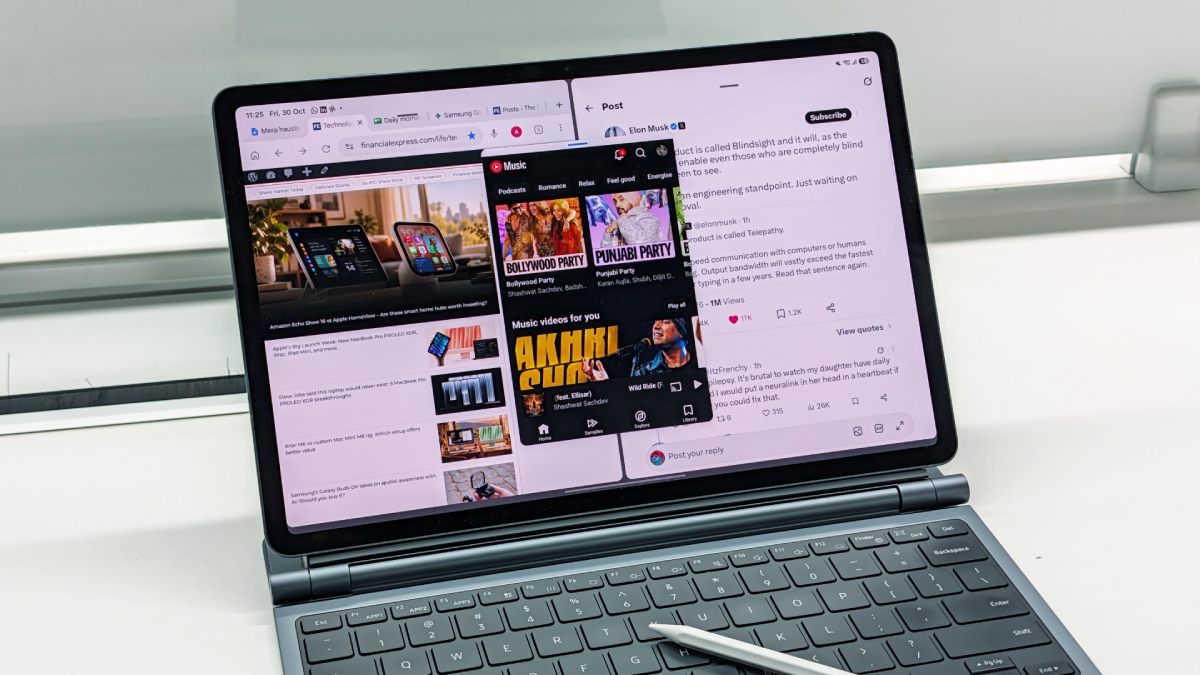
While DeX remains gold standard in the “PC-for-tablet” user interface experience, I discovered something else that suited my journalism job far better – the non-Dex interface seemed easier on the move to get work done. While DeX works best with the trackpad, the standard interface with touch input controls is faster and easier to work with. Swipe away the Chrome browser, bring up the Google Docs app, quickly bring up the YouTube Music app in the floating view, and then have another app stacked with another app in a separate app pair – the Tab S12+’s regular interface handled all that with ease. No lags, no stutter, no hiccups.
Even for my daily work flow, like writing and uploading long-form articles directly into my Content Management System (CMS), the Galaxy Tab S12+ kept it all seamless. Browsing media libraries, formatting text, and uploading drafts were handled effortlessly, with no formatting errors.
One specific feature I adored is YouTube’s pop-up view, which is a fun way to get my work done while I catch up on re-runs of my favourite automotive show, all while having Chrome and Google Docs open in a split view. This experience is a tablet-specific one and isn’t something I can have on either a Mac or a Windows laptop.
All of Samsung’s software is served well on the remarkable display, which, quote honestly, is the showstopper on the Tab S12+. The high-resolution Dynamic AMOLED panel with its butter-smooth 120Hz refresh rate renders everything with vivid colours, high contrast and great clarity. Even under harsh indoor lighting, its high peak brightness and anti-reflective properties ensure that reading dense articles or editing media stays easy on the eyes throughout the day. The addition of the S Pen stylus, which magnetically sticks on the top edge (side, if you use it as a tablet), add a little extra convenience where needed.
When the workday wound down, the Tab S12+ seamlessly transitioned into an entertainment powerhouse. The vibrant 12.6-inch display becomes a great way for streaming movies, and the flagship MediaTek Dimensity 9500 processor ensured plenty of headroom for playing console quality games like Wreckfest and CarX Street in full graphics settings without breaking sweat.
I should also mention the Pro Keyboard Folio’s advantage, which makes life a lot easier on the move. Other than the clever stand for the tablet, the keyboard cover provides a firm and reassuring laptop-like form factor to the Tab S12+. It doesn’t bend or flex, and provides ample space for resting your palms on its deck.The keyboard has the same sort of tactility as most modern laptops, allowing for comfortable long typing sessions. There’s even a backlight feature for the keys – a MacBook Neo doesn’t have this!
The Pro Keyboard’s trackpad is equally responsive and tactile.
Battery realities
When using a “Pro-grade” tablet like a laptop, the trade-off is usually born by the battery. Through heavy usage, including CMS publishing, image adjustments, active web research, constant video streaming in pop-up windows, and light gaming, the tablet delivered approximately 5 hours of Screen-on-Time (SoT). This means I had to have a charger handy, especially as the work day wound to an end. Samsung’s support for 45W charging requires a compatible adapter to fill up the battery from under 10 per cent in around 1.5 hours.
Verdict: Is the Samsung Galaxy Tab S12+ as good as a laptop?
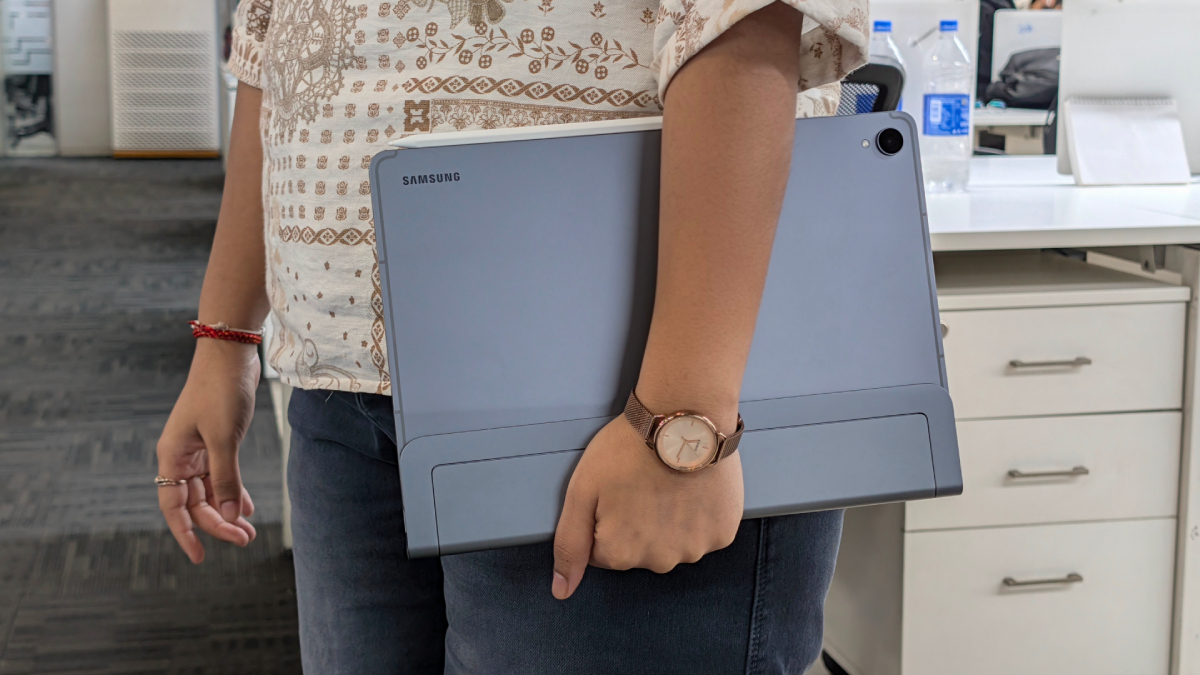
The Samsung Galaxy Tab S12+ easily proves that an Android tablet can function as a genuine, highly capable laptop replacement, albeit with a few boundaries. When paired with the Pro Keyboard Folio, the Tab S12+ delivers a great mobile workstation for anyone whose daily work primarily revolves around document creation, text-heavy CMS publishing, web research, email management, and light image editing. This shows that it could be great for college and educational purposes, as long as the use case isn’t as demanding as a high-end laptop.
Hence, if your workflow demands heavy video rendering, complex coding environments, desktop-grade software suites, or intensive local processing power, a dedicated laptop still holds a distinct edge. But for writers, journalists, content creators, administrative professionals, and basically anyone who lives in web browsers and text editors, the Galaxy Tab S12+ hits the right balance of portability, performance, and everyday power. It might be a pricey alternative to something like a Dell XPS 13 (2026), but it is as capable for getting work done, with the added perks of portability and a great display.